Sandbar: The Stream Era Begins
November 05, 2025Nov 05, 2025 | By Kobie Fuller

[This post originally ran on Kobie Fuller's blog]

After nearly two years in stealth, Stream by Sandbar is finally live and I couldn’t be more thrilled to see it revealed to the world. An incredible synergy of hardware and software packaged up in an elegant consumer package. A ring with an embedded microphone and touchpad that is one of the most streamlined human-computer interactions I have experienced to date. It allows me to tap into all the powers of AI but most importantly tap more deeply into myself as its made for me and my thoughts.

We led the company’s first round of funding at Upfront when Stream was still a whisper of an idea, built on the belief that personal knowledge systems would become the next foundational layer in the AI-native stack. That belief hasn’t just held true, but I feel has accelerated.
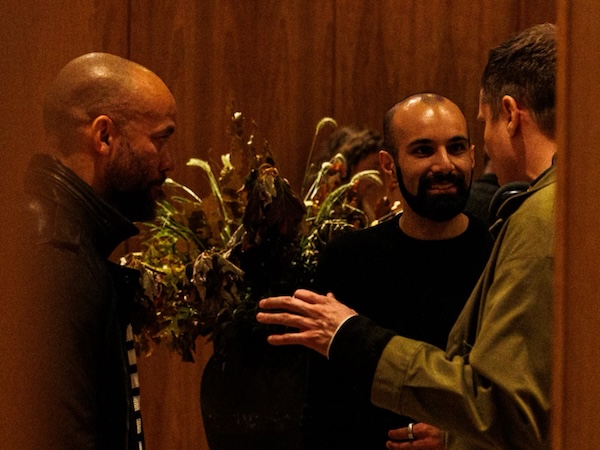
Sandbar 1Me with Mina Fahmi (CEO of Sandbar) at the NYC private reveal

The two co-founders, Mina and Kirak, are the rare kind of builders who combine deep technical fluency with serious product soul. They’ve spent years quietly obsessing over how AI, memory, and interface design can converge to help people think more clearly, live more intentionally, and actually remember what matters. Their time building the Meta Display + Neural band gave them the depth of experience that prepared them for this current journey. They have a true north that is driving them for what they have built with Stream.

After using Stream for several months now, this post breaks down my overall usage and why I believe it represents a new chapter in human-computer interaction.

Let me show you what that looks like in practice.

How I Use Stream

First off, my Stream is for me and me only. Its my thoughts, my memory, my place to talk to myself and its in my voice (well, my Inner Voice as Stream calls it). One of the first pieces in the onboarding is to clone your voice so as you talk to Stream it is like hearing yourself talk back to you. It may sound strange but once you experience it, using Stream any other way doesn't have the same level of magic. A quick tap on the touchpad of the ring initiates the natural voice based interaction with my 2nd brain of sorts. Whether at full volume or a whisper, I put the ring close to my face to initiate the interaction to capture my voice and my voice only. This is not for recording meetings or others. This is for me. So, how do I actually use it?

1. Personal CRM

Every time I leave a meeting, I drop a quick recap into Stream. Who I met, what stood out, what I want to remember. Over time, this has become my go-to memory system across all the people, companies, and projects I care about.

The web dashboard is where it all comes together. I can see the full graph of my work, across domains, timelines, and topics.

2. Role-Playing for High-Stakes Moments

When I’m prepping for an important pitch, keynote, or even a tough conversation, I use Stream to rehearse. I’ll talk through angles, ask myself questions, try different tones. It’s like having a sparring partner who remembers everything.

The best part? It feels like I’ve already lived the moment before it happens. So when I walk into the room, I’m calm, clear, and confident.

3. Meeting Prep & Retrieval

Before a call or meeting, I ask Stream questions like:

“What companies should I bring up when catching up with the head of corp dev at XXX who is interested in keeping up on our portfolio?”

It doesn’t just summarize. It brings back context-rich insights from my own knowledge graph: companies I’ve discussed, past meetings, shared interests. It’s like having an AI chief of staff who preps me in seconds.

4. Mindset Optimization

Sometimes I just need Stream to talk to me. To help me reframe. To encourage me. To call me out.

Because I speak authentically to Stream, it knows how to help me get centered. I use it to reflect, to brainstorm, and even to re-ground when I’m feeling off. It’s an emotional compass as much as a memory tool.

5. Mental Analytics (Emerging)

One of the most exciting directions? Feedback loops. Because I speak to Stream daily, I’ve started asking it:

“Where am I mentally strong?” “Where am I slipping?”

It can surface themes. Patterns. Emotional tone. Even prompt me to reflect when certain topics come up. I want Stream to become a personal performance coach. Not just telling me what I did, but helping me see who I am becoming.

6. Note Capture & Lists

Stream has started to replace traditional note-taking apps for me. Why? Because capture is instant (via voice), and retrieval is exponentially better. When I record a thought or action item, it’s not just for storage. It becomes part of the system’s logic.

I can ask about it later, or it just shows up when relevant. That’s powerful.

7. Elevating my Exercising Routine

A surprisingly powerful feature of Stream is its ability to let me control my music effortlessly with a simple tap or swipe of my thumb. No need to pull out my phone or fumble with that awkward squeeze on the stem of my AirPods. Don’t like the song I’m running to mid-stride? A quick double-tap on the ring skips to the next track. Even better, when I’m feeling fatigued between intervals, I can ask Stream for a dose of mental support, helping me reset and attack the next set just like a track coach would. It all happens seamlessly, in the moment, as if Stream were an extension of myself.

Where This Is Going

I believe we’re at the beginning of a new era. Where personal knowledge systems will rival enterprise systems in importance and impact. Where tools like Stream won’t just help us remember… they’ll help us be the best version of ourselves.

Stream is showing what’s possible when AI, memory, and voice converge. A system that understands you...because you built it with your own words.

Let’s just say: the future of thinking is getting personal. And I’m here for it.

Kobie Fuller is a General Partner at Upfront, fashion lover, and washed up sprinter. He's driven by companies who are truly building community.

[This post originally ran on Kobie Fuller's blog]

After nearly two years in stealth, Stream by Sandbar is finally live and I couldn’t be more thrilled to see it revealed to the world. An incredible synergy of hardware and software packaged up in an elegant consumer package. A ring with an embedded microphone and touchpad that is one of the most streamlined human-computer interactions I have experienced to date. It allows me to tap into all the powers of AI but most importantly tap more deeply into myself as its made for me and my thoughts.

We led the company’s first round of funding at Upfront when Stream was still a whisper of an idea, built on the belief that personal knowledge systems would become the next foundational layer in the AI-native stack. That belief hasn’t just held true, but I feel has accelerated.

Sandbar 1Me with Mina Fahmi (CEO of Sandbar) at the NYC private reveal

The two co-founders, Mina and Kirak, are the rare kind of builders who combine deep technical fluency with serious product soul. They’ve spent years quietly obsessing over how AI, memory, and interface design can converge to help people think more clearly, live more intentionally, and actually remember what matters. Their time building the Meta Display + Neural band gave them the depth of experience that prepared them for this current journey. They have a true north that is driving them for what they have built with Stream.

After using Stream for several months now, this post breaks down my overall usage and why I believe it represents a new chapter in human-computer interaction.

Let me show you what that looks like in practice.

How I Use Stream

First off, my Stream is for me and me only. Its my thoughts, my memory, my place to talk to myself and its in my voice (well, my Inner Voice as Stream calls it). One of the first pieces in the onboarding is to clone your voice so as you talk to Stream it is like hearing yourself talk back to you. It may sound strange but once you experience it, using Stream any other way doesn't have the same level of magic. A quick tap on the touchpad of the ring initiates the natural voice based interaction with my 2nd brain of sorts. Whether at full volume or a whisper, I put the ring close to my face to initiate the interaction to capture my voice and my voice only. This is not for recording meetings or others. This is for me. So, how do I actually use it?

1. Personal CRM

Every time I leave a meeting, I drop a quick recap into Stream. Who I met, what stood out, what I want to remember. Over time, this has become my go-to memory system across all the people, companies, and projects I care about.

The web dashboard is where it all comes together. I can see the full graph of my work, across domains, timelines, and topics.

2. Role-Playing for High-Stakes Moments

When I’m prepping for an important pitch, keynote, or even a tough conversation, I use Stream to rehearse. I’ll talk through angles, ask myself questions, try different tones. It’s like having a sparring partner who remembers everything.

The best part? It feels like I’ve already lived the moment before it happens. So when I walk into the room, I’m calm, clear, and confident.

3. Meeting Prep & Retrieval

Before a call or meeting, I ask Stream questions like:

“What companies should I bring up when catching up with the head of corp dev at XXX who is interested in keeping up on our portfolio?”

It doesn’t just summarize. It brings back context-rich insights from my own knowledge graph: companies I’ve discussed, past meetings, shared interests. It’s like having an AI chief of staff who preps me in seconds.

4. Mindset Optimization

Sometimes I just need Stream to talk to me. To help me reframe. To encourage me. To call me out.

Because I speak authentically to Stream, it knows how to help me get centered. I use it to reflect, to brainstorm, and even to re-ground when I’m feeling off. It’s an emotional compass as much as a memory tool.

5. Mental Analytics (Emerging)

One of the most exciting directions? Feedback loops. Because I speak to Stream daily, I’ve started asking it:

“Where am I mentally strong?” “Where am I slipping?”

It can surface themes. Patterns. Emotional tone. Even prompt me to reflect when certain topics come up. I want Stream to become a personal performance coach. Not just telling me what I did, but helping me see who I am becoming.

6. Note Capture & Lists

Stream has started to replace traditional note-taking apps for me. Why? Because capture is instant (via voice), and retrieval is exponentially better. When I record a thought or action item, it’s not just for storage. It becomes part of the system’s logic.

I can ask about it later, or it just shows up when relevant. That’s powerful.

7. Elevating my Exercising Routine

A surprisingly powerful feature of Stream is its ability to let me control my music effortlessly with a simple tap or swipe of my thumb. No need to pull out my phone or fumble with that awkward squeeze on the stem of my AirPods. Don’t like the song I’m running to mid-stride? A quick double-tap on the ring skips to the next track. Even better, when I’m feeling fatigued between intervals, I can ask Stream for a dose of mental support, helping me reset and attack the next set just like a track coach would. It all happens seamlessly, in the moment, as if Stream were an extension of myself.

Where This Is Going

I believe we’re at the beginning of a new era. Where personal knowledge systems will rival enterprise systems in importance and impact. Where tools like Stream won’t just help us remember… they’ll help us be the best version of ourselves.

Stream is showing what’s possible when AI, memory, and voice converge. A system that understands you...because you built it with your own words.

Let’s just say: the future of thinking is getting personal. And I’m here for it.